


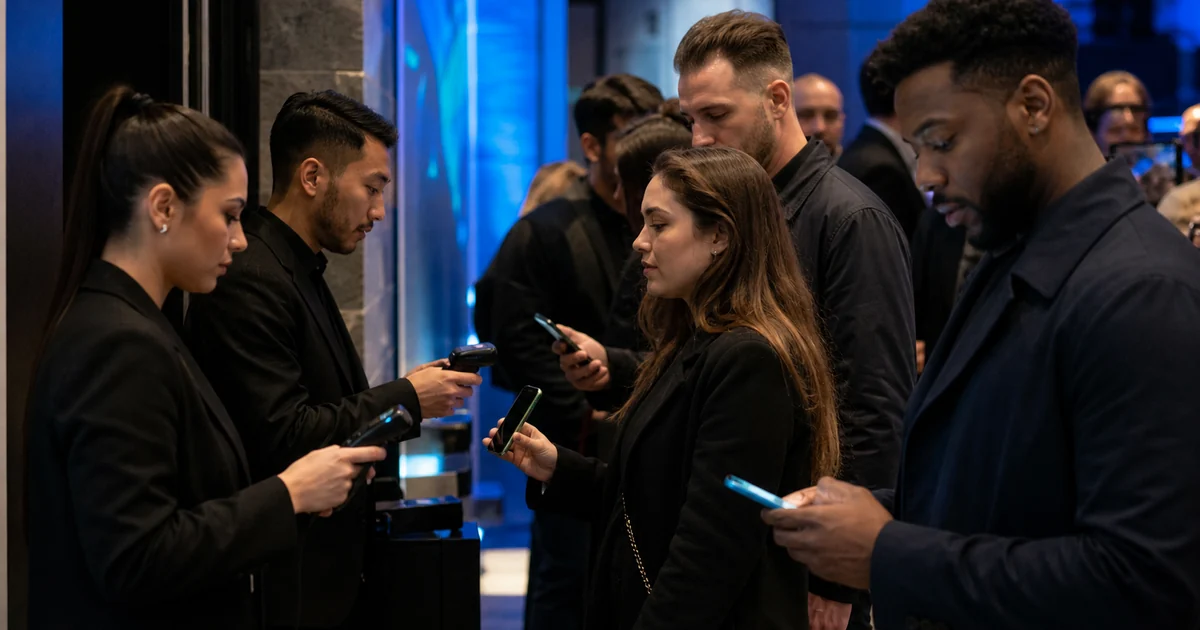
You planned everything. The run-of-show is tight, the volunteers are briefed, and the line outside is growing. Then someone checks a phone: no bars, no Wi-Fi, and your check-in app is spinning. If your entire door process depends on a live internet connection, that spinning wheel is the difference between a five-second welcome and a fifty-person backup at the entrance.
Offline event check-in is the answer to that failure mode. It lets your team scan tickets and admit guests even when the venue has no usable connection, then reconciles everything once you are back online. This guide explains how it works, where it quietly breaks, and how to build a contingency plan so a dead network never becomes a dead entrance.
Why venues lose connectivity more than you think
Connectivity problems at events are not rare edge cases — they are one of the most predictable things about running a door. A few reasons show up again and again:
- Crowd saturation. A room with perfect signal at 8 a.m. can crawl once a few hundred people arrive, each with a phone hunting for the same towers and the same guest Wi-Fi.
- Venue construction. Basements, banquet halls, warehouses, historic buildings, and metal-framed marquees are notorious for swallowing cellular signal.
- Shared or throttled Wi-Fi. The “event Wi-Fi” you were promised is often a single consumer router meant for a coffee bar, not fifteen simultaneous scanners.
- Outdoor and pop-up sites. Festivals, markets, farm venues, and parking-lot gates frequently sit at the edge of coverage.
The takeaway: if your check-in plan assumes a reliable connection, you have built your busiest, most public moment on the least reliable part of the day. Offline capability turns connectivity from a hard dependency into a convenience.
How offline check-in actually works: local cache and sync
The mechanics are simpler than they sound. A well-built check-in app follows a three-part pattern:
1. Download the guest list first. Before doors open — while you still have a good connection — the app pulls a full copy of your attendee and ticket data onto the device. Every valid ticket code now lives locally, so the app can recognize it without asking a server.
2. Validate on the device. When a volunteer scans a QR code, the app checks it against that local copy. Is it a real ticket? Has it already been marked as used on this device? The answer comes from the phone or tablet in hand, not from the cloud, which is why offline scanning can be just as fast as online scanning.
3. Queue and sync later. Each check-in is written to a local queue with a timestamp. The moment the device sees a connection again — even briefly — it uploads that queue and pulls down anything new, so your dashboard catches up automatically.
If you want the fundamentals of how QR tickets are generated and validated in the first place, our QR code check-in guide walks through the full setup.
The duplicate-scan problem when devices go offline
Here is the honest, load-bearing caveat that most help-center pages gloss over. Offline validation works beautifully on a single device. The hard problem is duplicate detection across multiple offline devices.
Picture two scanners at two doors, both offline. A guest checks in at Door A. That check-in is saved locally on Scanner A — but Scanner B has no way to know it happened, because neither device is talking to the server or to each other. If the same code is presented at Door B (an honest mix-up, a screenshot passed to a friend, or a deliberate attempt), Scanner B sees a ticket that still looks unused and lets them in. The duplicate only surfaces later, when both devices sync and the conflict appears in your data.
This is a genuine, industry-wide limitation of offline scanning, not a flaw unique to any one product. Anyone who promises perfect real-time duplicate prevention across many disconnected devices is overpromising. The realistic goal is to minimize the window where it can happen and to catch anything that slips through at sync time.
Multi-device strategies when there is no internet
You cannot repeal physics, but you can design around it. Practical ways to keep duplicates near zero without a connection:
- Assign each ticket type or section to one door. If VIP codes are only ever scanned at the VIP lane, a duplicate can only collide with itself, and one device already knows its own history.
- Split by name range or ticket-number range across lanes so the same code is unlikely to appear at two doors.
- Keep one device as the “source of truth” for a given entrance, and avoid roaming the same guests between lanes.
- Get even a thin connection to one device. A single phone hotspot that lets scanners sync every couple of minutes shrinks the risk window dramatically, even if it is too weak for all devices at once.
- Sync at the first opportunity. Walk a device to the spot in the room that has one bar, let it reconcile, and bring it back.
These tactics are part of a broader door-day discipline. For the full picture, see our pillar on event check-in best practices.
Building your offline contingency plan
Treat offline mode as the default assumption, not the emergency. A simple plan the day before:
- Download the guest list to every device while you still have solid signal, and confirm each one shows the full attendee count.
- Test one scan offline — put a device in airplane mode and check a test ticket — so you know the flow works before doors open.
- Charge everything and pack battery banks. Offline or not, a dead tablet checks in nobody.
- Print or export a backup list. A paper or PDF copy of names is a cheap insurance policy against total device failure.
- Brief the team on the duplicate rule: if the app flags a code as already used, follow your escalation step (verify ID, check the name against the list) rather than waving people through.
- Decide your sync cadence and name one person responsible for reconciling devices during the event.
How Everlage handles offline mode
The Everlage scanner app is built for exactly this reality: doors that have to keep moving whether or not the venue Wi-Fi cooperates. Because it caches your guest list on the device and validates tickets locally, your team can keep scanning and admitting guests through a dead spot, with check-ins queued and synced back to your dashboard once a connection returns.
We are also deliberately straight with organizers about the multi-device duplicate limitation described above, because it is a property of physics, not marketing. The scanner app is designed to minimize that window and to surface any conflicts when devices reconcile, and the strategies in this article — zoning entrances, splitting ticket types, and syncing at the first opportunity — are how you get the cleanest possible result on the ground. If offline reliability is critical for your venue, the honest move is to plan the door around these principles rather than assume any app makes the internet optional.
FAQ
Does offline check-in mean I never need internet at all? No — you need a connection at least once, before the event, to download the guest list onto each device, and again afterward to sync all the check-ins. In between, the door can run offline.
Will scanning be slower without Wi-Fi? Not meaningfully. Because validation happens against the copy stored on the device, an offline scan is typically just as fast as an online one.
What happens to the data I collect offline? Each check-in is stored locally with a timestamp and uploaded automatically the next time the device connects, so your reports end up complete even if they were built in a dead zone.
Can two offline devices double-admit the same ticket? It is possible if neither device can see the other’s scans, which is why the multi-device strategies above matter. Reducing that risk is about how you assign lanes and how often you sync, not about any promise of perfect offline prevention.
Reliable entry starts with a scanner that does not fall over the moment the signal does. Explore how the Everlage scanner app keeps your door moving when the Wi-Fi does not.
